



What does Google built-in on the 2026 Acura ADX actually do around Marshall, MN?
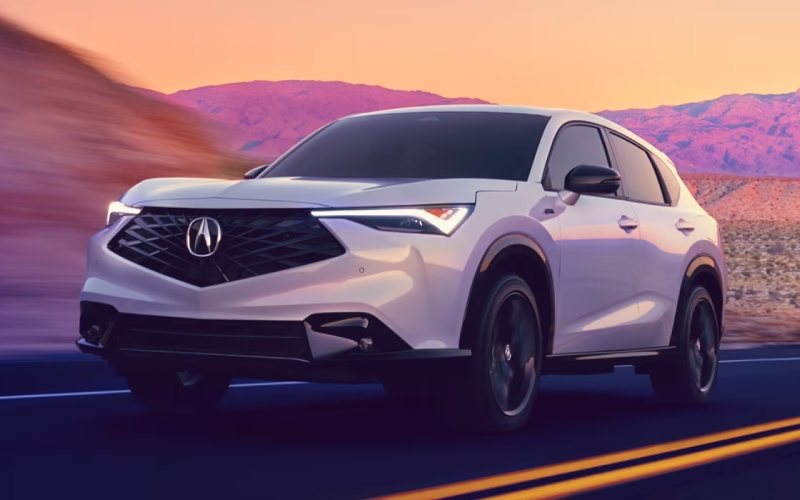
Vern Eide Acura – What does Google built-in on the 2026 Acura ADX actually do around Marshall, MN?
Google built into the 2026 Acura ADX brings the most familiar digital tools into your SUV in a way that feels natural, quick, and reliable for daily driving around Marshall, MN. Instead of juggling a phone or hoping an app plays nicely with your system, you simply say “Hey Google” and get what you need—from navigation to reminders to smart routing—right on the 9-inch HD touchscreen.
This guide takes you beyond the buzzwords so you can understand how Google built-in works in the ADX, what you can expect on day one, and how it can make each drive more efficient and less distracting. We also cover how it pairs with wireless Apple CarPlay® and Android Auto™, what’s available when you are parked, and how Acura designed the system to support safety and focus on the road.
What you get with Google built-in
Google built-in integrates Google Assistant, Google Maps, and Google Play directly into the ADX. That means voice-powered calls and texts, cabin controls, and real-time navigation live natively in the vehicle, without relying on your phone for the core experience. It is fast, accurate, and tuned for in-car use—so directions, lane guidance, and traffic updates are crisp and timely, and prompts are presented clearly on the center display and in the instrument cluster.
Because the platform is embedded, your most-used features are ready as soon as you start the vehicle. You can say, “Hey Google, navigate to the nearest trailhead,” or “Hey Google, lower the cabin temperature to 69,” and keep your hands on the wheel while the ADX handles the task.
Navigation that actually saves time
For routes across Lyon County or longer treks along US-59, Google Maps optimizes your path with live traffic and alternative routing. Lane-level guidance helps with turns you might otherwise miss, and voice prompts arrive with enough lead time to exit smoothly or change lanes safely. If you make a spontaneous detour for coffee or groceries, natural-language search helps you find the right stop without diving through menus.
As you get to know your ADX, you can save favorite places and build routines—like “Hey Google, take me home”—so your most common routes feel automatic. It is all designed to reduce friction, minimize phone handling, and keep your mind on the drive.
How it works alongside wireless CarPlay® and Android Auto™
Even with Google built in, the ADX still supports wireless Apple CarPlay® and Android Auto™. That flexibility lets you bring in your personal media ecosystem—playlists, podcasts, and audiobooks—while still using Google Maps on the vehicle display if you prefer. Or, if you are an Apple Maps fan, you can stay with that. The point is choice, and the ADX gives it to you.
When you are parked, you can also access apps on Google Play designed for in-vehicle use. From streaming video to casual games and web browsing, the ADX turns downtime into personal time, perfect for a few quiet minutes before pickup or between meetings.
Voice control that genuinely reduces distraction
Google Assistant’s natural language understanding makes it easy to complete tasks without looking away from traffic. Try, “Hey Google, text Jamie I’ll be five minutes late,” or “Hey Google, find a pharmacy with late hours,” and let the system do the rest. Because these tools are embedded, response times are snappy, and phrasing can be casual—no rigid commands required.
The ADX also offers steering wheel controls and a simple, logically organized interface to keep interactions quick. Between intuitive touch controls and strong voice recognition, the system helps you stay focused during busy Marshall-area traffic or while navigating unfamiliar areas.
Connectivity and charging options
For personal devices, the ADX includes wireless phone charging for Qi-compatible smartphones and USB-C ports with 60W power sharing—enough to quickly charge phones and even power larger devices like laptops. Wi-Fi Hotspot Capability supports in-cabin connectivity, and you can select an AT&T data plan to enable the hotspot.
If you are wondering about data usage, keep in mind that wireless Apple CarPlay® and Android Auto™ remain available. You can alternate between embedded Google services and smartphone mirroring depending on what suits your day and your device’s data plan.
Safety and driver-assist alignment
AcuraWatch™—including features like Collision Mitigation Braking System™ (CMBS™), Road Departure Mitigation, Adaptive Cruise Control with Low-Speed Follow, and Lane Keeping Assist System—works alongside Google built-in. The goal is to make your interactions simpler while safety systems support driving awareness. Prompts on the display are clear and timely, and you can lean on voice first to avoid unnecessary screen time.
Available aids like Blind Spot Information System, Rear Cross Traffic Monitor, a Multiview Camera, and Low-Speed Braking Control extend protection in tight lots and dense traffic. Together with embedded navigation and voice assistance, the ADX helps guide your decisions without overwhelming you with information.
Set up tips for day one
Getting started is straightforward. Sign in with your Google account to sync preferences and saved places. If you use Google Maps on your phone, many locations and habits will carry over. Then, pair your smartphone for wireless CarPlay® or Android Auto™ so you can move seamlessly between embedded and mirrored tools. Finish by placing your phone on the wireless charger and customizing quick-access tiles on the home screen for one-tap convenience.
We suggest testing common requests you will use most—like “Hey Google, call my spouse,” “Hey Google, route to work,” and “Hey Google, read my texts”—so the commands become second nature before your busiest days.
Why this matters for Marshall, MN drivers
Marshall-area driving often involves a blend of short city hops and highway stretches. Google built-in is ideal for that rhythm: quick voice requests for navigation and calls, clear lane guidance for interchanges, and seamless app access while parked. When plans change, natural-language search helps you pivot to the nearest stop or fastest route without manually scrolling through options.
For families and professionals, the combination of wireless charging, strong voice recognition, and embedded navigation reduces the daily friction of plugging in, hunting for apps, or second-guessing turns. The result is a quieter, more focused drive.
Frequently Asked Questions:
Can I use Google Maps and still listen to media from my iPhone?
Yes. You can run Google Maps via Google built-in and stream media through wireless Apple CarPlay®, or use Apple Maps if you prefer. The ADX supports both approaches, so you can tailor the setup to your routine.
Do I need a data plan for the Wi-Fi Hotspot Capability?
For the in-vehicle hotspot, select an AT&T data plan. You can also rely on your phone’s data when using wireless Apple CarPlay® or Android Auto™ for streaming and messaging.
Does Google Assistant work for climate controls?
Yes. You can use voice commands like “Hey Google, set the temperature to 70” to adjust cabin settings while keeping your hands on the wheel.
What happens if I prefer not to sign in to a Google account?
You can still use core functions, but signing in allows you to sync places, preferences, and get more personalized suggestions. It is optional, and you can decide what works best for you.
If you would like a guided walk-through, Vern Eide Acura can help you try Google built-in side by side with wireless Apple CarPlay® and Android Auto™ so you can pick the flow that feels most natural. With our team serving Mankato, Marshall, MN, and Pierre, SD, we will match your everyday needs with the right configuration and provide tips that make the tech feel effortless from day one.

0 comment(s) so far on What does Google built-in on the 2026 Acura ADX actually do around Marshall, MN?